Features
Everything you need to stay close
Built around how real relationships work — not how a sales pipeline does.
Circle Garden
Your relationships have a heartbeat
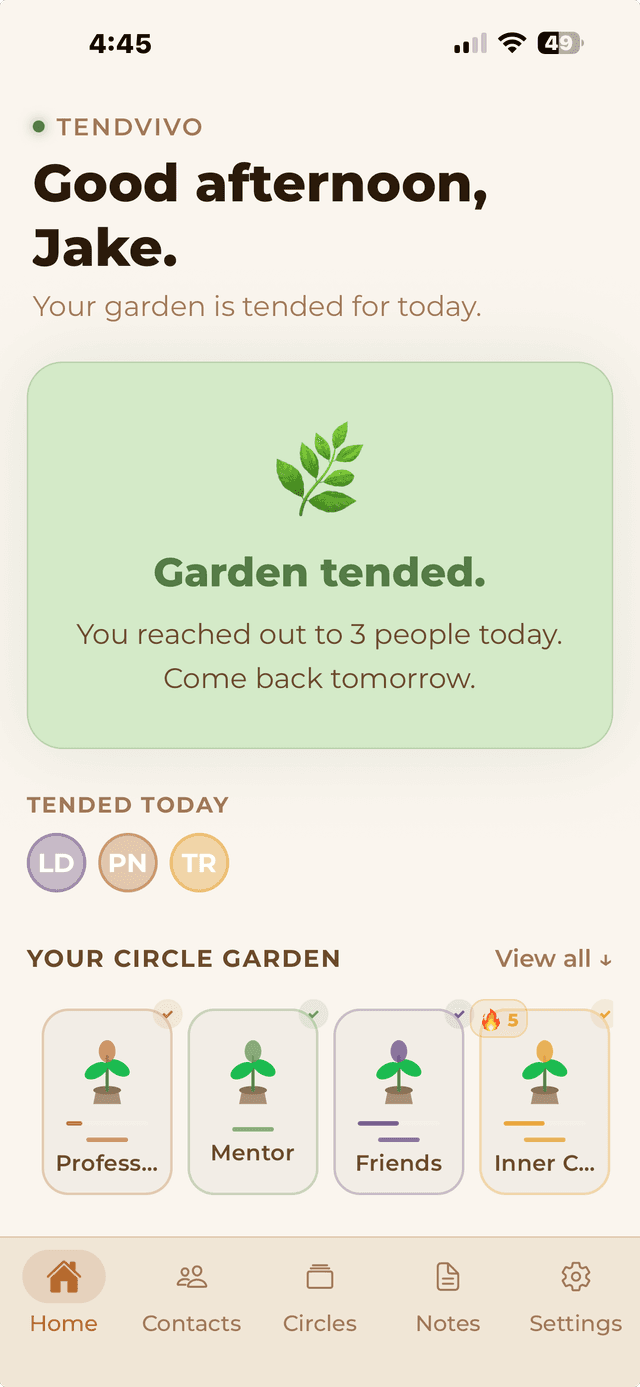
The home screen centers on a garden where each circle you tend is a living plant. Reach out regularly and it blooms full and green. Go quiet and the leaves brown and droop. It's not a number — it's a feeling. An honest, organic picture of where you're showing up for the people who matter.
- Each plant reflects the health of every person in that circle
- Health score decays linearly as contacts go overdue
- Streaks track consecutive weeks of consistency
- Crossing back above 70% health triggers a "thriving" celebration
Tending Queue
One person at a time — no list to dread
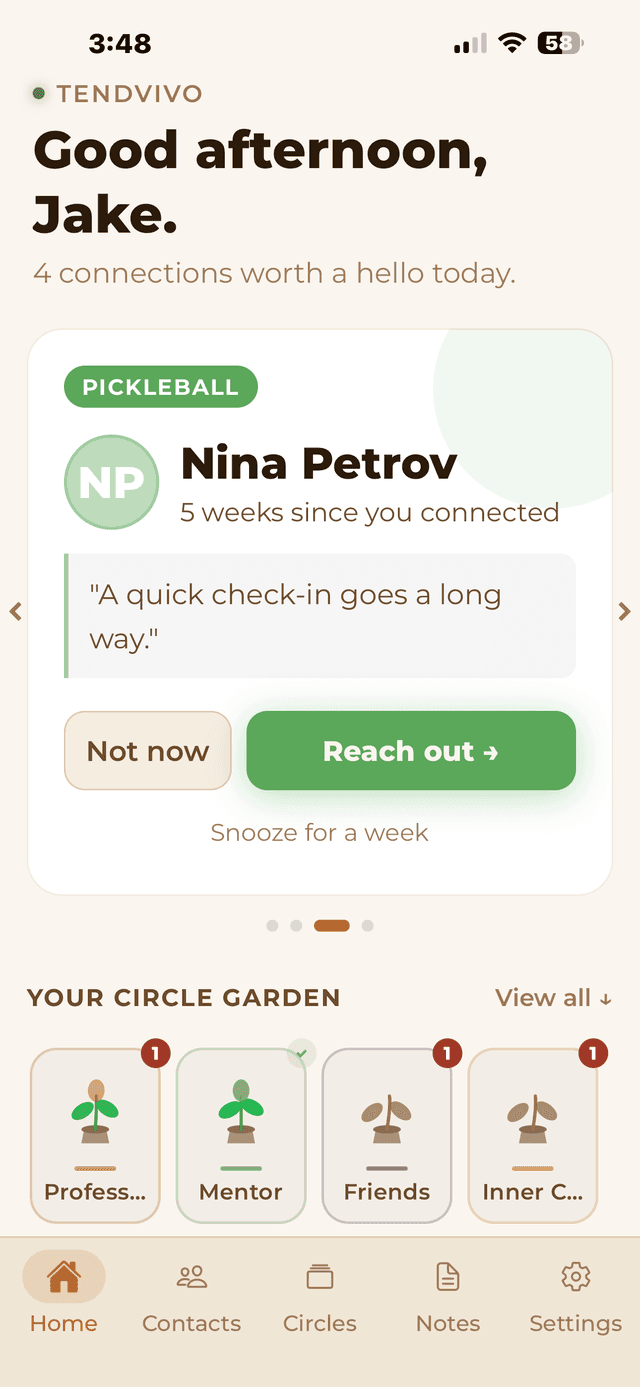
The queue surfaces whoever needs you most right now. One card. Their name, how long it's been, and a contextual prompt — never generic, always grounded in how that specific relationship works. Reach out, snooze for a week (timing isn't always right), or move on. When the queue's empty, you're done.
- Contacts surface when their cadence is overdue
- Prompts adapt to how long it's been
- Snooze adds 7 days without penalizing the health score
- "Garden tended" confirmation — a clear stopping point, not infinite scrolling
AI Drafts
The hardest part is knowing what to say. We handle that.
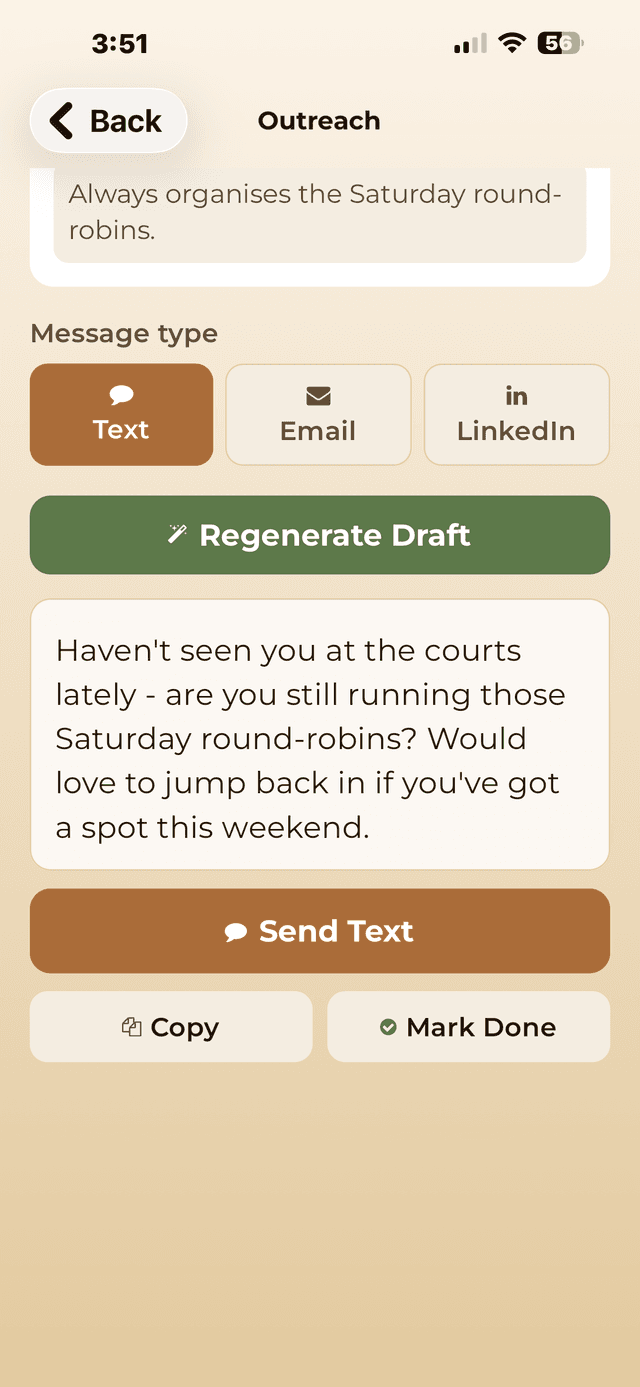
Tap Generate Draft and get a short, personal outreach message written around your relationship context and what's currently going on in your own life. It reads like you — because it knows you. Edit it, copy it, send it over text, email, or LinkedIn. The blank message box is no longer an excuse.
- AI uses your relationship notes and contact context
- Draws from your "My World" blurb for personal grounding
- Works for text, email, and LinkedIn messages
- Always editable — it's a starting point, not a script
Circles
Organize your people the way you actually think about them
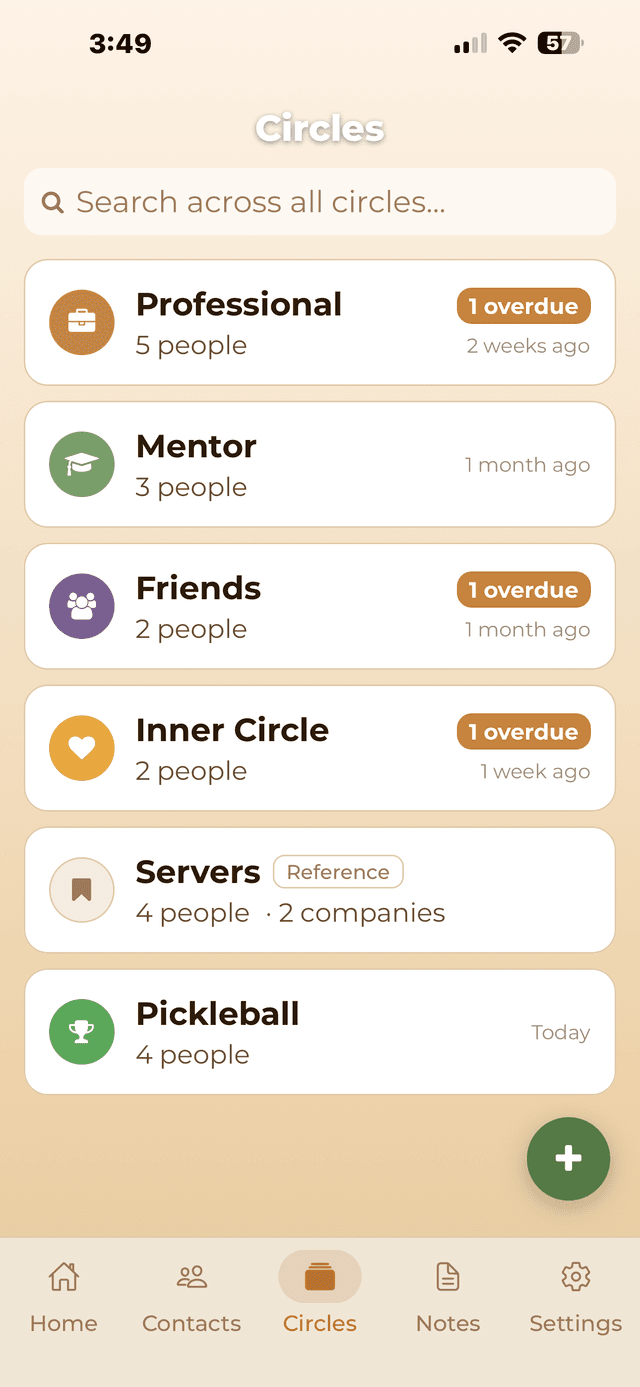
Four starter circles come ready to go: Professional, Mentor, Friends, Inner Circle. On a paid plan, create circles for anyone else who matters — your college crew, your pickleball group, the servers at your favorite spot. Every circle can be set to Tending mode (cadences and health scores) or Reference mode (context only, no pressure).
- Tending circles track cadences, health scores, and streaks
- Reference circles are context-only — no overdue alerts, no pressure
- Pin your most-used circles to the top
- Cross-circle search finds any contact instantly
Visit Mode
Know everyone's name before you walk in the door
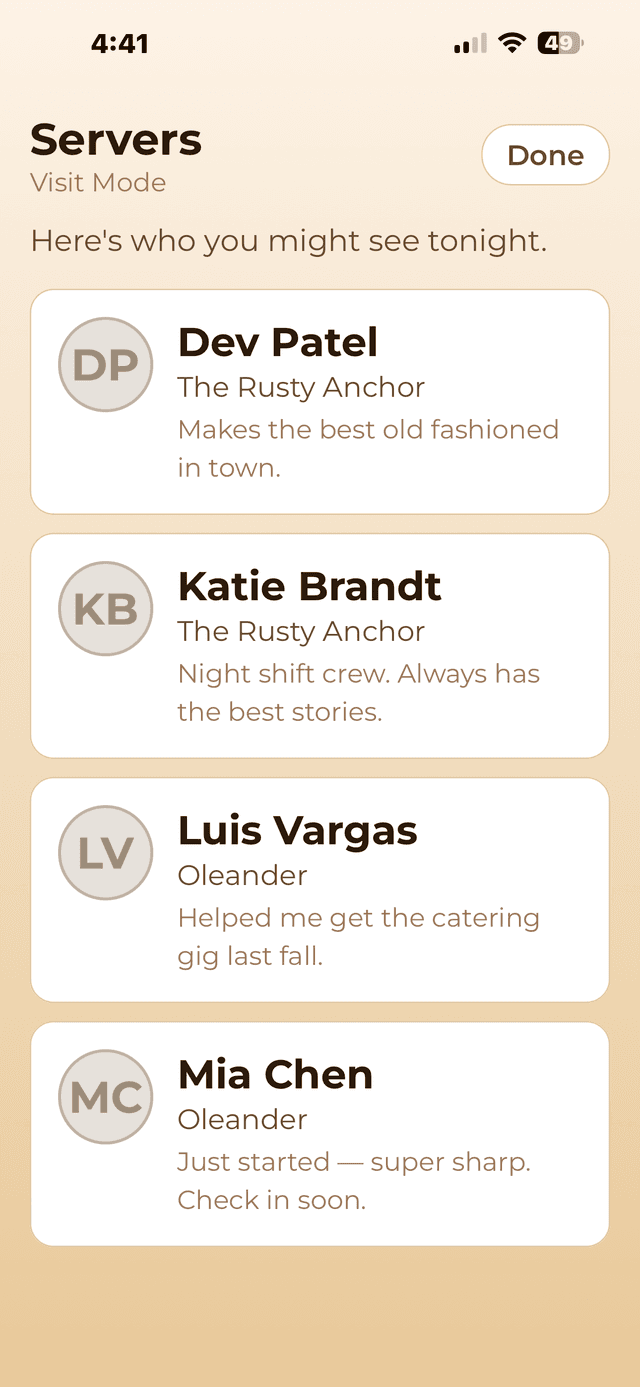
Tap "I'm headed here" on any circle and get a full-screen heads-up display — names, where they work, your notes about each person. Designed for arm's-length reading, like glancing at a cheat sheet before an event. Perfect for the restaurant where you're a regular, the networking event, the office you're visiting.
- Available on both reference and tending circles
- Shows name, company, your latest note snippet
- Read-only — built for a quick pre-visit scan
- "Here's who you might see tonight."
Outreach Log
Log how you connected, add a note, move on
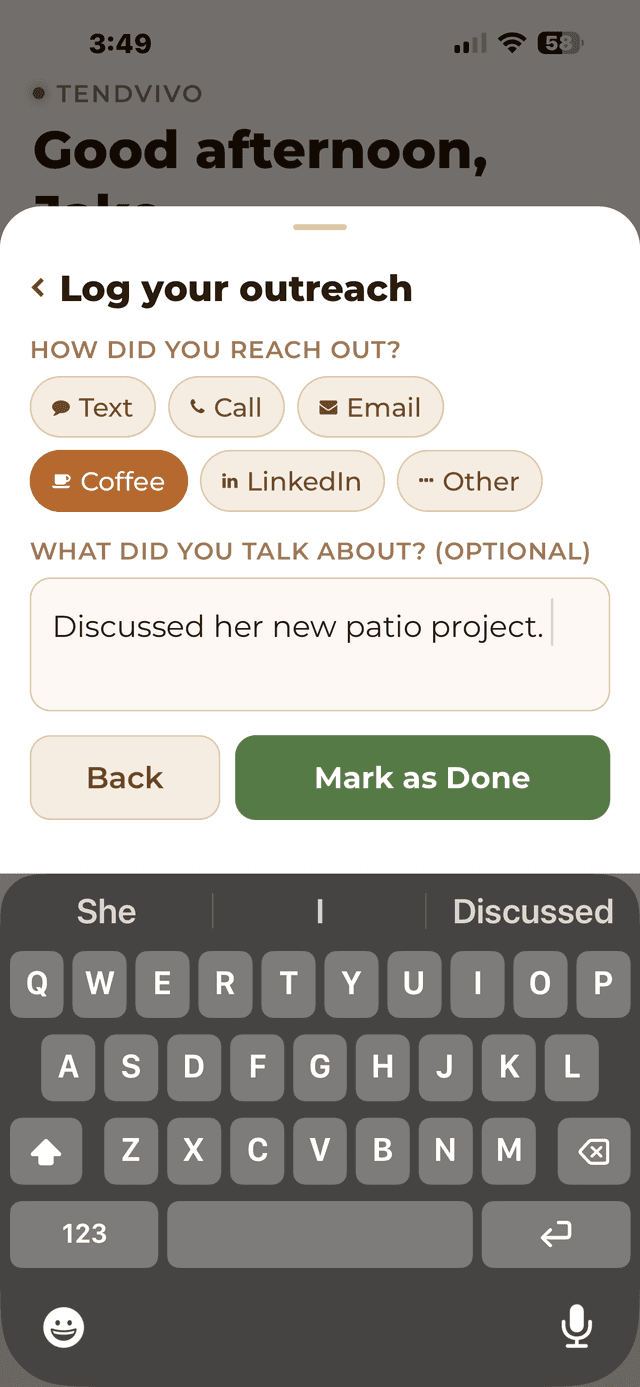
After reaching out, log the method — text, call, email, coffee, LinkedIn — and optionally jot what you talked about. It takes 10 seconds. Over time, you build a real history of the relationship: not just that you stayed in touch, but how.
- Log text, call, email, coffee, LinkedIn, or other
- Optional note captures what you discussed
- Full outreach timeline on every contact (premium)
- Free tier shows the last 3 entries
Notes
Show up knowing what matters to them
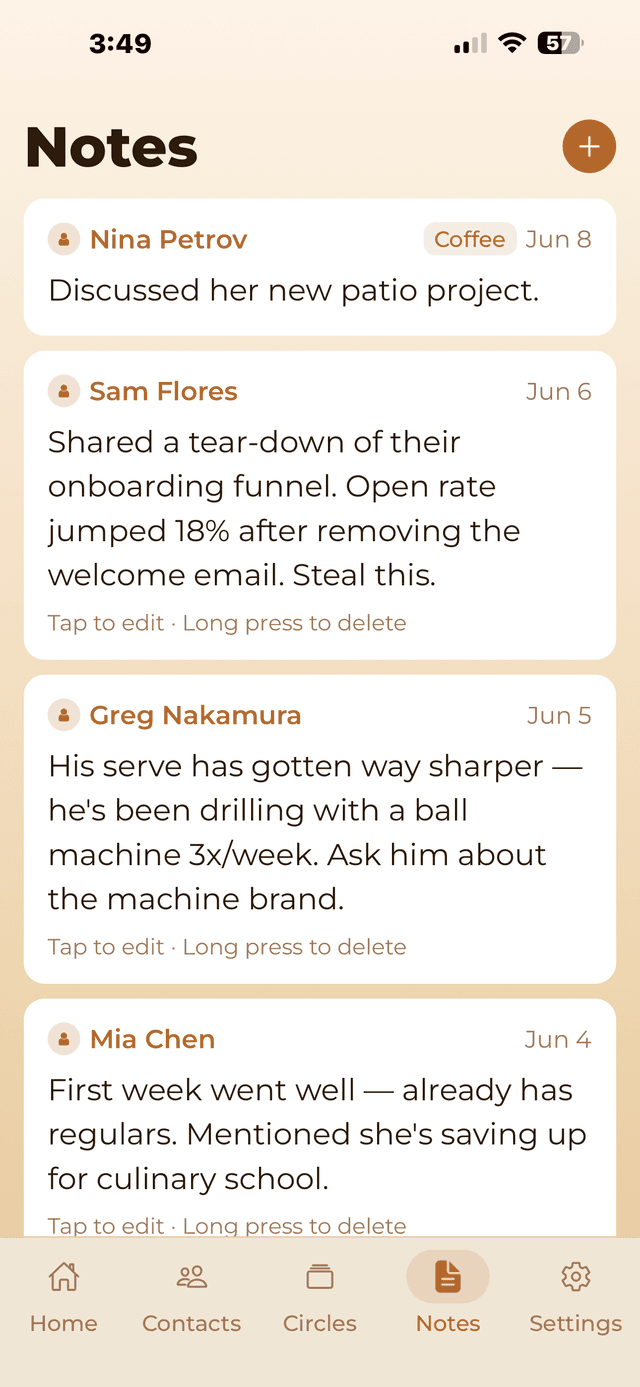
Between reach-outs, life happens. Log what someone mentioned, what you learned, what you want to follow up on. Notes live alongside the outreach history on each contact — a running record of the relationship, not just the touchpoints.
- Free-form notes on any contact
- Tagged by what you discussed
- Visible at a glance in the Notes tab
- Used by AI to personalize drafts
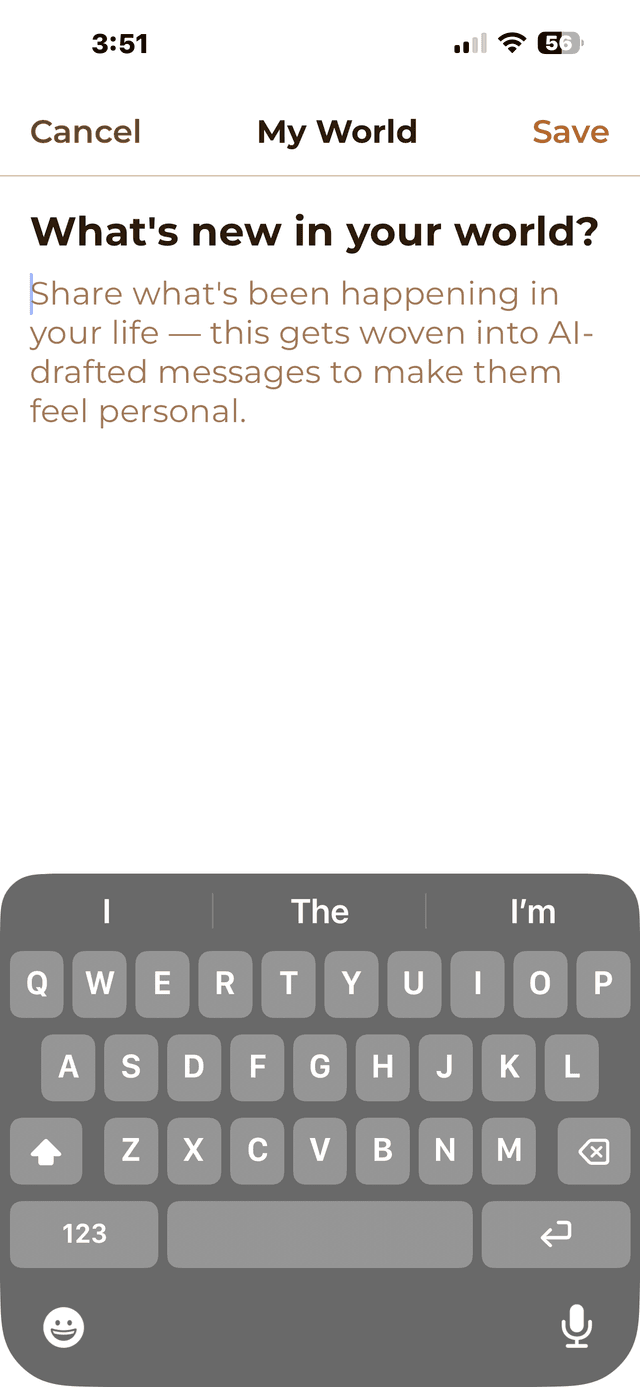
My World
The secret ingredient that makes AI messages feel real
Write a short blurb about what's going on in your life right now — a project you're heads-down on, a trip you just took, something you're excited about. The AI weaves this into every draft so messages feel grounded in your actual life, not in a template.
- Set once, update whenever your life changes
- Automatically included in every AI draft
- Makes messages feel personally authentic
- Lives in Settings → AI Messages